| William
Sutherland Architect |
 |
 |
 |
 |
 |
 |
 |
 |
 |
Office
Address Cluan
Rydal Road
Ambleside
LA22 9BA
015394 34489
For
location plan
see Local Links

  |
 "Clients think you just press a button these days..." |
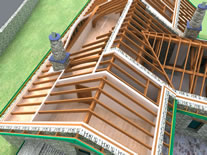
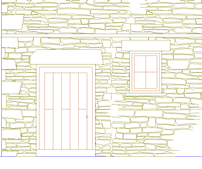
 CAD... Computer Aided Design. |
| CAD - a basic guide | May 2012 update |
A builder I know refers to CAD as 'power tools for Architects'.
The best tools are custom designed for the job. CAD should be no different
I first wrote some of this text back in 1999 (it is now 2012) and the cad market has changed little, apart from now most Architect Practices have some CAD software. The uptake of 3D design software has been slower than expected, given the ready availability of high performance personal computers and graphic cards at relatively low cost, although the recent emergence of Revit as Autodesk's main 3D building product is slowly changing that, along with the UK government's sudden interest in 'BIM' (whatever you think the acronym stands for ;-)
The best 3D design packages are a lot cheaper than they were in real terms but still appear expensive to many Architect Practices because of the investment in training and maintenance (or 'subscription' as they now like to call it ;-) that they require.
Thus many architects in the UK seem to dabble in 3D rather than make the 3D model the basis of the project information production.
There does not seem to be any one perfect solution to AEC cad (AEC may stand for 'Architectural, Engineering and Construction') and any hope of easy data interchange between systems is a long way off... indeed some say that it is not in the interests of developers to achieve true compatibility ;-)
 |
How CAD works - a simplistic guide (link to separate page) |
|
Drawing Interchange between different CAD systems |
|
Popular CAD Packages |
|
My choice of CAD system |
|
BIM what is it? |
We are talking
here about typical CAD software packages used by UK Architects in small
to medium size firms.
These are usually run on a normal PC or Apple Mac and the majority are aimed at producing
traditional 2D drawings - 'plans' as builders like to call them.
Most 2D drawing software now has some 3D capability, but a few packages are 'intelligent' 3D modellers (i.e. a wall 'knows' it is a wall) which generate the 2D drawings from the model.
The latter are sometimes referred to as 'BIM's (Building Information Modeller) - an industry 'buzzword' which has been taken up by the marketing departments of several software developers.
IMHO however very few packages truly qualify as such (see list of packages below).
CAD support is a tricky issue. Traditionally, local distributors or dealerships would sell and support a particular developer's package. With direct selling and email support this has dwindled but is by far the best approach, now only really maintained by the 'high-end' CAD packages.
Support overall these days, with some notable exceptions, is sadly very patchy - architects want cheap software and despite the complexity and steep learning curve of modern packages, do not want to pay for training it seems, but yet want instant support at all times... they also want the best features of every package on the market to be provided within their chosen package as well... :-)
Popular CAD packages
There are around 80 AEC cad packages available to the UK market (have a search in Stefan Boeykens' amazing database of cad and 3D modelling and rendering software here)
(see here for a list of packages offering Student Licenses)
The most common AEC cad package used in UK architectural practice today is undoubtedly,
Autocad LT by Autodesk -
the brand name of Autocad with an attractive price has made this cut-down version of full Autocad a bestseller in the conservative UK market;
Autocad full version still has a strong hold on the market; Autocad 2007 onwards introduced much improved 3D modelling toolset.
VectorWorks from Nemetschek North America does well in the UK because it runs on Apple Macs as well as PCs and gives a lot of 2D/3D functionality at middling cost; you can purchase it in Basic form or with add-ons such as VW Architect which gives a lot of 3D functionality and the sort of scripted tools you see in ADT, Allplan, Archicad - automatic wall openings and such like.
Many architects prefer the friendly Mac interface but VW is one of the few mainstream cross-platform cad packages available.. the other is,
Archicad by Graphisoft of Hungary (now part of the Nemetschek group), which is a 3D/2D package and like VW is also well known in the USA; also does Facilities software and the impressive Virtual Construction software.
Microstation by Bentley Systems of the USA is a well-respected 3D/2D package used by some prominent UK practices;
Revit, also by Autodesk is a 3D/2D product and now (May 2012) at version 2013 is looking good. The only 3D AEC cad application to work totally in 3D (the others generate 3D from the model data on the fly), it is justly famous for the 2-way parametric linkages which connect the model to elevations/sections views and schedules. Other packages like Archicad can do some of this also but Revit seems to me to have a more integrated and extensive tool set as supplied. Autodesk insist it is their main 3D product now - rather than ADT. The introduction in version 2009 of a a new rendering engine gave Revit a huge boost - outstanding renders with almost no effort or specialist knowledge required by the user. The acquisition by Autodesk of most of the 'green building' software companies in the World also promises much for the future use of 3D models as the basis for energy analysis at the design stage.
ADT (Architectural Desktop), also by Autodesk ... a longer established 3D/2D product; large installed user base and still sells well apparently (Feb 2007). An Autocad-a-like workflow appeals to existing Acad users.
Allplan FT by Nemetschek of Germany is a 3D/2D package pre-eminent in it's native land and well known for many years across Europe. Launched 7 years ago in the UK and still IMHO one of the best of the 3D/2D all round AEC software packages, particularly if you are doing intricate modelling work in a building.
UK support
Drawing Express 2D/3D by Trial Systems Ltd is a 2D/3D package developed in the UK with a unique tablet and pen based interface, and with exceptional training and telephone support.
Sketchup 3D by @last software until recently part of the Google empire, is famous for it's easy to use 3D sketching tools. Cross platform (Mac and PC) and free for the basic version, with the Pro version relatively inexpensive (the pro version features a good Digital Terrain Modeller (DTM) called the Sandbox). Excellent free online tutorials, it is not really a CAD system, but within it's limitations it has proved very popular.
Caddie, Spirit, Arcon, Turbocad, Powercad are available as well as many other packages (see Stefan's list at the top of this section).
Beyond AEC CAD modelling there is the world of the true 3D modellers - i.e. 3D modellers used in product design and animation. The former are often referred to as MCAD (Mechanical CAD). There has been an attempt in recent years for one of the best known MCAD products to establish itself in the AEC CAD market. This is CATIA and having been used on some of the spectacular forms incorporated in buildings designed by Architect Frank Gehry has been launched by Gehry Technologies .
Animation modelling packages are different to Architectural modelling packages, and can handle 'organic' forms ('blobs' or surfaces which curve in 2 directions) rather better, although this facility is creeping into AEC packages. The 'near-photographic' output from these packages ('rendering' as it is often called - but it can be cartoon-like rather than photographic) is usually better than from AEC CAD modellers/renderers even if just for static pictures, and some have been 'bolted on' to the architectural modelling packages via special export file formats.
Autodesk's 3D Studio max has a large part of the generic 3D modelling market and now comes in 2 flavours - the original and 3DS Max Design - the latter includes a photometric-based lighting design tool and has defaults set up for architectural rendering (Revit import has been further streamlined in the 2013 version).
Notable partnerships are Archicad to ArtLantis, Revit and Autocad to 3DStudio Max, Allplan, Archicad and VectorWorks to Cinema 4D - although there are many, many more.
Free CAD software
If you are new to cad and wish to try out a package without spending a lot of money - or maybe just want a good basic CAD package for free - then I suggest downloading and registering FelixCAD LT - an excellent 2D/3D package which has bigger 'brother' packages called Powercad
Powercad also produce
an excellent commercial product called Sitemaster for onsite measuring via a Bluetooth Disto laser measure.
Powercad is now renamed as part of the Graebert brand.
| My choice of CAD systems |
|
Since 2007 I have been using Revit Architecture by Autodesk. |
| Drawing Interchange between systems |
|
Autodesk
the developer of Autocad introduced the 'DXF' file format many years
ago as a way for different CAD programmes to share drawings - i.e.
a CAD programme saves drawings in a format that is unique to itself.
In order to give that drawing to say, an Engineer running a different
CAD package it must first be 'exported' or 'saved as' a 'DXF' format
file. In fact DXF files are merely text files which is why they
work (it also makes them large). Unfortunately Autodesk have 'enhanced'
the DXF format over the years (along with the native 'DWG' Autocad
format) leading to compatibility problems if you do not keep updating
your CAD software. A recent development is the emergence of the
'OpenDWG Alliance'. Check if your CAD software producer is listed
at their site www.opendwg.org
as
it costs money to join but should guarantee long term Autocad compatibility
being available to your package. A point
to watch if you are trying to email a DXF file - your email programme
(Outlook Express or whatever) may see the file as text (which of
course it is - see previous paragraph) and simply insert it into
the body of the email when you try to 'attach' it. |
| BIM what is it? |
Well, this is the wikipedia post on it, however in reality it seems to be a term which the Autodesk marketing department picked up and pushed so that all software competitors decided to add the tag to their own products so as not to be left behind. |
Top of page
Home
¦ Park
Issues ¦ Services ¦ Local
Links ¦ Technical Section
| disclaimer - please read! |
Site © WSA 2015
|